Contenox CLI Reference
Every contenox subcommand, flag, and environment variable. Agents, tools, models and the rules they run under are files on your machine, and so is everything it executes.
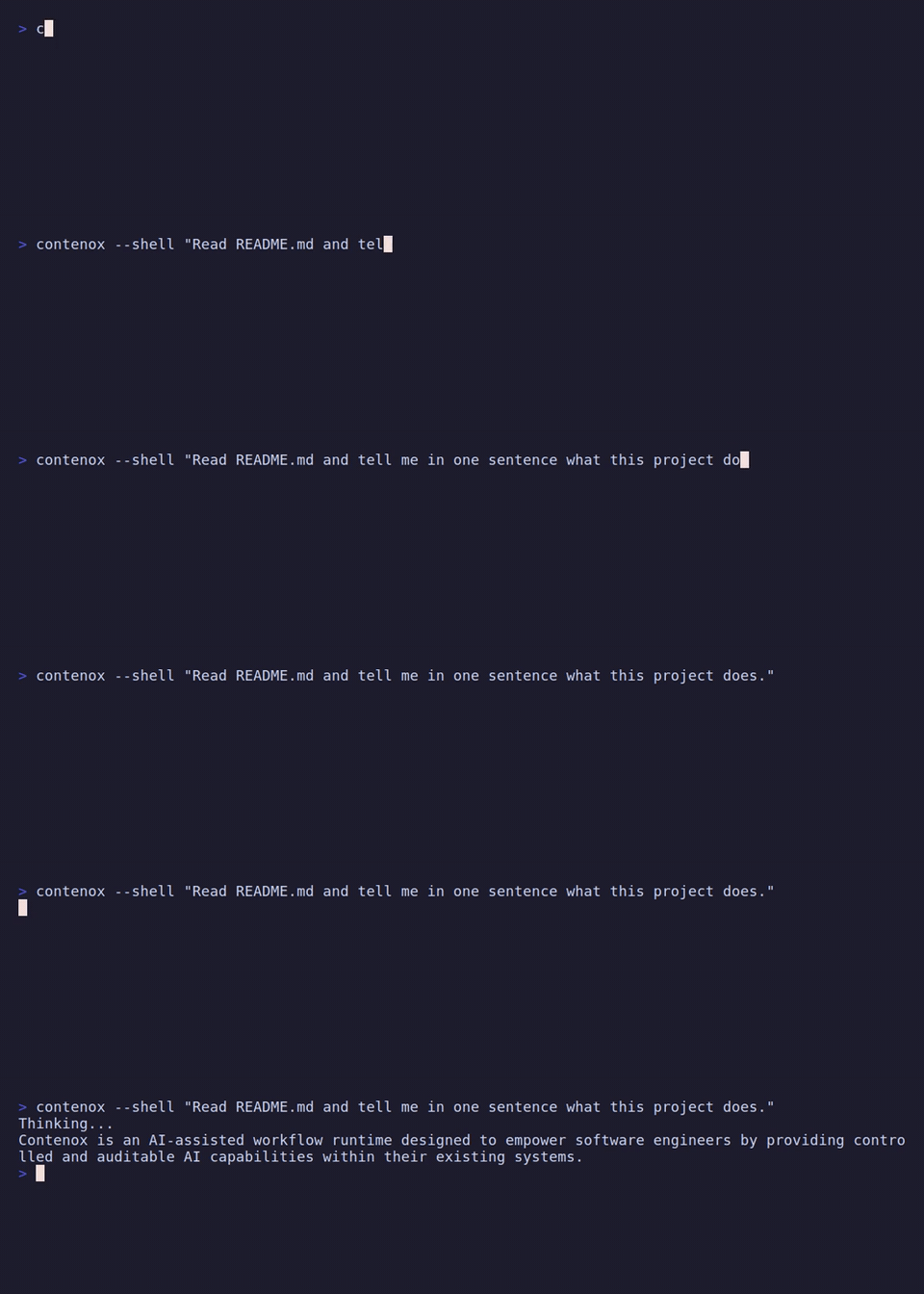
Two commands are the ones you reach for; the rest configure what they run. contenox beam is the front door — you, at a terminal. contenox run is the scripting shape — a program is the caller.
Global Flags
Persistent flags on the root command (also shown under Global Flags on subcommands). Run contenox --help for the full list.
| Flag | Description |
|---|---|
--model <name> | Model override for this invocation; persistent default is contenox config set inference.model <name> |
--provider <type> | Provider override for this invocation. See contenox backend add --help for supported backend types. |
--db <path> | SQLite DB path (default: ~/.contenox/local.db). The one global database is shared by every workspace. |
--data-dir <path> | Override the .contenox data directory (skips walk-up search). Used to locate the workspace’s workspace.id and chain files; does not change the database location. |
--timeout | Max execution time per invocation (default 2h) |
--context | Requested history window in tokens; 0 follows model capacity, bounded by agent limits |
--ollama | Ollama base URL (default http://127.0.0.1:11434) |
--no-delete-models | Legacy compatibility flag; a no-op in the OSS runtime (model deletion is disabled). Defaults to true. |
--trace | Structured operation telemetry on stderr |
--steps | Print execution steps after the result |
--think <level> | Set reasoning level for supported models: auto, off, minimal, low, medium, high, xhigh |
--alt-model <name> | Alt model name (for chains referencing {{var:alt_model}}). Overrides default-alt-model config. |
--alt-provider <type> | Alt provider type (for chains referencing {{var:alt_provider}}). Overrides default-alt-provider config. |
--max-tokens <N> | Response token cap (for chains referencing {{var:max_tokens}}). Overrides inference.generation.max_output_tokens; 0 uses the backend generation default. |
Subcommands
contenox setup
Runs an interactive setup wizard to configure your primary provider, model, and API key. This is the recommended first step for all new users. It ensures your global ~/.contenox/ configuration is ready for use.
contenox setupThe wizard guides you through picking a provider, entering an API key or base URL where needed, and setting your first default model. Native modeld is offered first; see local setup for worker installation and model downloads. It needs a real terminal (reads answers from stdin) and will not guess a default from a closed or piped stdin.
contenox auto [us|eu|china|gus]
Selects a local model for available hardware, installs its native worker and
weights, verifies tool calling, then opens the TUI. Selection prefers 128K–280K
hot context over larger weights. --dry-run shows the estimate without changes;
--no-tui finishes setup without starting the interface; --refresh selects
again instead of reusing the configured eligible model. The optional region is
the model developer’s origin, not the download host. See
automatic local setup.
contenox modeld
Installs or inspects the native inference worker. Run contenox modeld install --help
for release-store and backend selection, or contenox modeld status --json to
inspect its lease and endpoint. contenox model registry-list lists downloadable
models; contenox model pull <name> downloads one into the worker’s model store.
See native modeld and the build and packaging guide.
contenox beam
The first-party terminal client, and the front door: a person at the keyboard, on their own device. Bare contenox on a TTY opens it, so contenox and contenox beam are the same command.
contenox                     # on a terminal, this is beam
contenox beam                # the same, said explicitly
contenox beam --new          # start a fresh session instead of resuming
contenox beam --agent codex  # start a fresh session with a registered agent
contenox beam --session 9f2c1a4e     # open a session by id
The transcript is written into your native scrollback rather than a managed pane, so it scrolls, copies and searches like everything else in that window. The composer takes / for commands and @ to put a file in front of the agent. A gated tool call raises an approval card inline — the tool, its arguments, and the rule that gated it — answered with one keystroke, and the turn carries straight on. The card is the visible half of a durable ask written before it appeared, so the same question is answerable from another terminal, it resolves to its on-timeout verdict if the wait runs out, and quitting beam checkpoints the turn beside the still-pending row so answering later resumes it. A card that outlives its turn keeps working and says so — its key line reads answering resumes the run in place of the Esc cancels turn it offers over a live one.
local_fs and local_shell work natively here: beam is the ACP client, so it performs the filesystem and terminal calls itself, in the workspace the instance was launched with.
| Flag | Description |
|---|---|
--new | Start a new session rather than resuming the active one |
--agent <name> | Start a fresh session with this registered agent as the main conversation partner; cannot be combined with --session |
--session <id> | Open the session with this id instead of the newest one in the directory. A session that is not there is an error, not a create — exit 1 |
--light | Light-background colour scheme |
--plain | Plain output: no colour and no redrawing, for terminals and captures that want neither |
--hitl-policy <name|path> | Envelope this session runs under: a name from [envelopes] in agents.toml, or a path to a policy file used verbatim. Default default |
--oracle <chain> | Chain that adjudicates asks (e.g. default or chain-oracle-default.json), overriding config set default-oracle-chain. "off" disables it for this run |
--oracle-policy <envelope> | Envelope the oracle chain itself runs under, overriding config set default-oracle-policy |
--oracle-approves-tool-calls | Let the oracle rule on gated tool calls, not just questions, overriding config set oracle-approves-tool-calls |
--log-dir <dir> | Write structured logs here (default: <data-dir>/logs) |
contenox run
The scripting shape: a program is the caller — CI, a cron entry, a Makefile, another agent. It runs one task, prints the report to stdout, and exits.
contenox run "summarise what changed under ./internal since Friday"
contenox run reviewer "review the payment retry change"
The first argument is a declared agent when it names one, and part of the task otherwise; with no agent named, the preseeded run declaration handles it. Exit status is 0 when the work landed and nonzero when it did not, so a pipeline can branch on it without parsing the report.
run fires a mission. It dispatches the named declaration as an unattended unit under an envelope and announces it on stderr — Mission fired at agent "run" under envelope "run". — so the work is inspectable afterwards with contenox mission show like any other. Only the report goes to stdout; everything else, the announcement included, goes to stderr, so a caller can pipe stdout straight into the next stage.
| Flag | Description |
|---|---|
--policy <envelope> | The envelope bounding the unit. Falls back to the default-mission-policy config; a run with neither is refused rather than bounded by a guess |
--timeout <duration> | How long to wait for a terminal status before tearing the unit down (default 30m). This is run’s own bound, distinct from the global --timeout |
There is no client in front of run — no editor, no terminal — so the runtime serves local_fs and local_shell itself, from the same client-side server beam consumes: rooted at the directory the command was started in, its launched commands running under the sandbox env scrub. Alongside them ride the in-process toolsets: mission, native-git, local_fs, native-go, native-goja, native-jq, native-web, native-echo. What a task may actually touch is bounded by its envelope, not by tool absence — a gated call raises a durable ask like any other.
A gated call therefore has nobody to ask: it becomes a durable ask like any other and the run waits on it. Answering it with contenox approvals respond releases that waiting call and the run finishes; if --timeout ended the command first, the same answer resumes its checkpoint exactly once. Bound what a scripted run may do unattended in its envelope rather than by watching it.
contenox session
Manage named chat sessions. Each session maintains its own conversation history. list and show default to the active scope; the whole database can also be inspected across workspaces and namespaces, and any session opened directly by id — useful for recovering a session an editor lost track of.
contenox session list                    # list this workspace's sessions (* = active)
contenox session new [name]             # create a session (becomes active)
contenox session switch <name>          # switch to a different session
contenox session show                   # show active session's history
contenox session show <name>            # show a session in this workspace by name
contenox session show <id>              # show any session by id (any workspace)
contenox session show <id> --ns <name>  # namespace hint when resolving by id (advisory)
contenox session show --tail 10         # show last 10 messages
contenox session show --head 5          # show first 5 messages
contenox session show default --tail 6  # tail a non-active session
contenox session fork [name]            # copy the active session to a new one (becomes active)
contenox session fork --summary         # compact older history into a summary, then fork and continue
contenox session fork --summary --keep 12  # keep the last 12 messages verbatim (default: 8)
contenox session delete <name>          # delete session and all messages
session fork branches the current conversation into a new session so you can explore an alternate direction without losing the original. --summary first compacts the older turns into a summary (via chain-compact-default.json) before forking, which trims a long history while preserving context; --keep sets how many of the most recent messages stay verbatim instead of being summarized.
Inspect the whole database, not just the active workspace/identity:
contenox session workspaces              # list workspaces and namespaces (counts)
contenox session list --all              # every session across the whole DB
contenox session list --workspace <id>   # sessions in a workspace
contenox session list --namespace <ns>   # sessions in a namespace (e.g. jetbrainsgoland)
A namespace is the session-name prefix before its generated id (e.g. jetbrainsgoland, zed, default). To recover a session an editor abandoned: find it with session list --namespace <ns>, then session show <id>.
Workspace authority
One instance serves exactly one workspace, fixed at launch. There is nothing to select afterwards, and no client anywhere offers a picker.
Which directory that is depends on the shape:
| Shape | The workspace is |
|---|---|
contenox beam, contenox run | the directory you started it in |
contenox acp | whatever the editor opened — per the protocol, the client owns the cwd |
A client does not propose a working directory and the runtime does not offer a menu of them. An app or an editor discovers instances and the sessions they are already holding, and attaches to one; the workspace is a property of the instance it attached to. Serving a second workspace means starting a second instance — which is also how the process list says so.
The runtime’s own control plane (~/.contenox and a workspace’s .contenox — its config, database, and policies) is never a workspace, on any shape. There is no setting that turns this off.
A mission dispatched from an instance inherits that instance’s workspace: a unit cannot be given a working directory the session that fired it could not have opened.
contenox doctor
Prints local LLM setup readiness: default model, default provider, and backend reachability.
contenox doctor
contenox doctor --json          # machine-readable output
contenox doctor --skip-cycle    # faster; skips backend sync (status may be stale)
contenox doctor --bundle # also write a redacted diagnostics zip to attach to an issue| Flag | Description |
|---|---|
--json | Print results as JSON instead of human-readable text |
--skip-cycle | Skip syncing backends before the check (faster but may show stale status) |
--bundle | Also write a redacted diagnostics zip and print a pre-filled GitHub issue URL |
--bundle-out <path> | Where --bundle writes (default: ./contenox-doctor-<timestamp>.zip) |
--bundle is the flag to reach for when you are stuck and filing a bug. The archive holds doctor.json (this report), build.txt (version, Go toolchain, platform, VCS build settings), and the tail of every telemetry.log it finds — capped at the last 256 KB each, one entry per source directory (workspace .contenox, the database’s directory, ~/.contenox). Every member is passed through credential redaction on the way in: named assignments (api_key, token, password, authorization, …), URL userinfo, Bearer values, and recognizable provider key shapes are replaced with [REDACTED], and the command prints how many values it replaced. The issue URL is pre-filled with the environment facts a maintainer asks for first and names the bundle as the attachment — it carries no log content, so nothing leaves your machine until you attach the file yourself. Review the zip before sharing it.
doctor also reports vision-capable model availability, flags a top-level HITL policy copy that predates the currently shipped toolset (fix with contenox init --refresh-policies, or delete it to fall through to the envelope), and warns — without changing anything — when default-max-tokens exceeds the active provider’s output-token ceiling. It judges only the copies you own: a file under .generated/ is the transpiler’s and is re-rendered on every run, so it is never reported as stale.
When one of the external state backends is selected, doctor adds a State storage section naming the backend behind the store, the message bus and the key-value cache, and whether a remote one answered; an unreachable one is named with the variable that selected it. With none of them set the section is absent and the report is what it always was.
contenox model
Inspect models from configured LLM backends and manage capability overrides. Managing the local model registry (adding custom entries with a URL) is not part of the current CLI — model list, model set-context, and model capability are the full subcommand tree.
contenox model list
Query every registered backend in real time and show models that can be used now, with observed capabilities (chat, embed, prompt, think, vision, audio) and context length.
contenox model listcontenox model set-context
Override the locally stored context window for a model the runtime already knows about (one that has appeared in model list). Useful when a backend reports a different (or no) context size than the model actually supports.
contenox model set-context qwen3:8b             --context 32k
contenox model set-context gpt-5-mini           --context 128k
contenox model set-context gemini-flash-latest --context 1m| Flag | Description |
|---|---|
--context | Context window size: bare integer or shorthand (12k, 128k, 1m); 0 clears the override. Required. |
contenox model capability
Manage what is stated about a provider/model pair that the provider’s own catalog does not report. Two tiers, and the more specific one wins.
| Tier | Flags | Scope |
|---|---|---|
| Provider | --think, --vision | every backend of that provider type |
| Backend | --context, --max-output, --capabilities, --input-price, --output-price, --cache-read-price, --cache-write-price, --image-price, --audio-price | one backend, or every backend of the type |
contenox model capability set openai gpt-5-mini --think true          # reasoning controls
contenox model capability set openai gpt-5-mini --vision true         # accepts image input
contenox model capability set openai gpt-5-mini --context 400k --max-output 128k
contenox model capability set openai gpt-5-mini --capabilities completion,tools,vision
contenox model capability set ollama gemma3n        --capabilities completion,audio
contenox model capability set openai gpt-5-mini --input-price 1.25 --output-price 10
contenox model capability set openai gpt-5-mini --context 1m --backend reseller
contenox model capability show  openai gpt-5-mini                     # both tiers
contenox model capability unset openai gpt-5-mini                     # revert to the catalogs
--context and --max-output accept a bare integer or the k/m shorthand (32k, 1m). --capabilities REPLACES the observed set rather than adding to it, so it states the whole set — so --think/--vision cannot be scoped to one backend with --backend: a partial list would drop the rest. The vocabulary is the one upstream names: completion, tools, vision, thinking, embedding, audio. Prices are USD per million tokens, and are what the monthly spend ceiling is metered against. --image-price and --audio-price are the exceptions and say so in their names: USD per image attachment, and USD per mebibyte of inline audio — at 128 kbps a mebibyte is about a minute.
A declaration is folded into the model list on the next discovery cycle (15s), and reaches a client through /api/show.
contenox tools
Manage remote OpenAPI tools. See Remote Tools and Tools Allowlist Patterns.
contenox tools add <name> --url <url>
contenox tools add <name> --url <url> --header "Authorization: Bearer $TOKEN" --inject "tenant_id=acme"
contenox tools add <name> --url <url> --spec ~/my-spec.yaml   # local file spec
contenox tools list
contenox tools show <name>
contenox tools update <name> --header <...> --inject <...> --spec <url-or-path>
contenox tools remove <name>| Flag | Description |
|---|---|
--url | Base URL of the service — where API calls are sent (required) |
--spec | URL or local file path of the OpenAPI v3 spec (https://..., ~/path, ./path, /abs/path). Local paths stored as file:// URIs; must exist at registration time. Defaults to <url>/openapi.json. |
--header | HTTP header to inject on every call, e.g. "Authorization: Bearer $TOKEN" (repeatable) |
--inject | Tool call argument to inject and hide from the model, e.g. "tenant_id=acme" (repeatable) |
--timeout | Request timeout in milliseconds (default: 10000) |
--insecure-skip-tls-verify | Skip TLS certificate verification for this provider (add-time only; self-signed/internal services) |
For an API that needs a login step before each session (session-cookie or token-based auth, e.g. Frappe/ERPNext or a legacy service with no API-key support), register the login flow at add time — Contenox performs the login automatically on 401/403 and retries:
| Flag | Description |
|---|---|
--auth-login-url | URL to POST credentials to (setting this enables the login flow) |
--auth-login-method | HTTP method for the login request (default POST) |
--auth-login-body | JSON body for the login request; ${ENV_VAR} placeholders expand at runtime |
--auth-extract-cookie | Name of a Set-Cookie cookie to extract from the login response |
--auth-extract-jsonpath | JSONPath expression to extract a token from the login response body |
--auth-inject-header | HTTP header to carry the extracted value on API calls |
--auth-inject-format | printf format for the injected value, e.g. "Bearer %s" (defaults to a cookie name=value pair when extracting a cookie) |
# Frappe/ERPNext — session cookie login
contenox tools add erp --url https://erp.local \
  --insecure-skip-tls-verify \
  --auth-login-url https://erp.local/api/method/login \
  --auth-login-body '{"usr":"${FRAPPE_USER}","pwd":"${FRAPPE_PASS}"}' \
  --auth-extract-cookie sid \
  --auth-inject-header Cookie
The login-flow flags and --insecure-skip-tls-verify can only be set at tools add time; to change them, remove the provider and re-add it.
contenox agent
Beta: this command’s interface may change. It is not gated:
contenox agentis listed incontenox --helpandcontenox agent listshows every discovered agent whether or notopt-in-betais set. Among them is the shippedagent-planner— the chain’sid, declared insidechain-planner-default.json(see Chain files: naming, roles, and resolution). Whatcontenox config set features.beta.enabled true(orCONTENOX_OPT_IN_BETA=1) does turn on is the event-trigger tier and the beta linecontenox doctorprints.
Register, inspect, and drive agents. Most agents are declared in a Markdown file under .contenox/agents/; agents you already keep in .claude/agents/ or .agents/agents/ are found there too. Discovery registers those automatically. An installed program that speaks ACP can instead be registered as an external agent and driven through Contenox’s ACP client host.
contenox agent add claude -- npx -y @zed-industries/claude-code-acp
contenox agent check claude               # one live ACP turn; permission asks denied
contenox agent edit claude                # argv, env, cwd, MCP allowlist
contenox agent list                       # id, name, source, kind, enabled
contenox agent show reviewer              # provenance + config_json
contenox agent enable reviewer            # (and: disable)
contenox agent remove reviewer            # (alias: rm)
agent add records the exact command after --; it does not install the agent. agent check streams one real ACP turn and returns a protocol-shaped rejection to every permission request, so connection verification cannot authorize an action. See Host an external ACP agent for the run-config shape, MCP forwarding, and Linux sandbox boundary.
remove deletes only the local registration. Discovery may re-register a declared agent when its Markdown or chain file still exists. Removing a manually registered external agent does not uninstall its command.
contenox vet [path]
Validate chain files and HITL policy (envelope) files before anything runs them.
contenox vet                  # every .json in the workspace .contenox/
contenox vet --all            # the workspace .contenox/ plus ~/.contenox/
contenox vet chain.json       # one file
contenox vet ./mychains/ # every .json under a directory| Flag | Description |
|---|---|
--all | Vet the workspace .contenox/ and the global ~/.contenox/ directory |
Files are classified by content: a "tasks" array is a chain, a "rules" array (or a hitl-policy-*.json name) is an envelope; anything else is skipped. A chain is checked with the load-time linter (handler input/output signatures, dataflow across every goto/on_failure edge, input_var and template references, branches that can never fire, structural defects). A policy is checked for unknown fields, invalid rule shapes, tool patterns that can never match, and timeout values. A file can also print a WARN line — a field that parses and is accepted but is not enforced as strongly as it reads; warnings never fail the run. vet exits non-zero when any vetted file fails.
vet also reports a policy file that shadows a rendered envelope of the same name. Neither file is wrong — the search path is doing what it promises — but the transpiled one is then never read, so editing [envelopes.<name>] in agents.toml would change nothing. Worth knowing before you spend an afternoon editing the wrong file.
contenox hitl trust [command-or-path ...]
Declare, refresh, or list the binaries a policy’s allow rules may run. An allowlist entry pins a command name; PATH decides what that name is. This records the absolute real path a name resolves to and that file’s SHA256 into the policy’s trusted_binaries block, so a substituted or tampered binary is refused instead of inheriting the allow.
contenox hitl trust go git          # declare two binaries by name
contenox hitl trust /usr/bin/make   # declare one by absolute path
contenox hitl trust --refresh       # re-read every declaration (upgrade path)
contenox hitl trust --list          # show every declaration's state on this host
contenox hitl trust --remove go # drop a declaration| Flag | Description |
|---|---|
--policy <file|path> | Policy to update: a policy file name (hitl-policy-strict.json) found along the policy search path, or an explicit file path (default hitl-policy-default.json). Unlike --hitl-policy elsewhere, this flag does not take a bare envelope name — --policy strict is refused as not found |
--refresh | Re-read every already-declared binary and rewrite its hash — the legitimate-upgrade path |
--list | List every declaration and its state on this host; changes nothing |
--remove | Remove the named declarations instead of adding them |
Names are resolved exactly as the policy evaluator resolves them (PATH lookup, PATHEXT on Windows, then symlinks followed to the real file), so a declaration written here is by construction the one the evaluator will look up. Declarations are spliced into the policy without disturbing any other byte of the file, and the result is validated before it is written. Declaring any hash makes the pin strict for that policy: a command with no declared hash is refused.
A --policy that resolves to a rendered envelope under .generated/ is refused, not written: that file is re-transpiled from agents.toml on the next run, so the hash would be discarded without a word. The message names the top-level copy to make instead, which shadows the render and is nobody’s to rewrite. See Trusted binaries for the full workflow, the per-platform guarantees, and what this does not protect.
contenox init [provider]
Initializes a workspace (.contenox/) and ensures default runtime presets exist globally (~/.contenox/). Use contenox auto for automatic local setup, or contenox setup to select an existing server or hosted API.
init creates the .contenox/workspace.id marker — a project’s portable identity. The marker carries a stable workspace UUID (the database scoping token every session under the project is filed under) plus an optional friendly name. It travels with the directory, so a project means one thing to the CLI and every ACP session alike. It also seeds agents.toml and an agents/ directory — where you declare an agent — plus the oracle chain (chain-oracle-default.json, inert until default-oracle-chain names one) under ~/.contenox/, and the shipped chain files under ~/.contenox/system/, unless they already exist. Workspace-local .contenox/ files can override these global presets by name; init --local seeds those workspace copies for you instead of writing to ~/.contenox/. The seeded chain files follow the chain-<role>-<variant>.json convention — Chain files: naming, roles, and resolution covers the grammar and the exact touch/never-touch matrix of every init flag.
Approval policies are not seeded. Each [envelopes.<name>] section in agents.toml is transpiled into .generated/hitl-policy-<name>.json instead, on every run rather than once at init — so a name resolves because the envelope behind it was rendered, not because a copy was written where your own file goes. init renders them and prints each one it wrote. A hitl-policy-<name>.json you write at the top level of .contenox/ or ~/.contenox/ shadows the render and is never rewritten. See Where a policy comes from.
By default init walks up to reuse an ancestor’s .contenox if one exists (like git). Pass --project to force a fresh project marker in the current directory instead — a distinct workspace nested under a larger one — and --name to give it a friendly name (default: the folder’s own name).
You can optionally specify a provider to pre-configure defaults.
contenox init                          # scaffold a workspace
contenox init gemini                   # pre-configure for Gemini
contenox init openai                   # pre-configure for OpenAI
contenox init --force                  # overwrite existing files
contenox init --update                 # refresh unchanged default files
contenox init --refresh-policies       # rewrite policy copies an earlier build left behind
contenox init --local                  # seed workspace-local override copies
contenox init --project --name "API" # a fresh named project in the current dir| Flag | Description |
|---|---|
-f, --force | Overwrite existing preset files |
--update | Refresh unchanged default files to the latest embedded versions; first renames shipped chain files still under a pre-v0.38 name (e.g. default-acp-chain.json) to the chain-<role>-<variant>.json convention, byte-for-byte, in ~/.contenox and the workspace .contenox both |
--local | Write the chain files and agent declarations into the workspace .contenox/ instead of ~/.contenox — deliberate workspace-local overrides that win over the global copies by name |
--refresh-policies | Rewrite the hitl-policy-*.json copies an earlier build left at the top level of ~/.contenox or a shadowing workspace .contenox, from this build. It only rewrites files that are already there — it never creates one, and never touches .generated/, which the envelopes own. Chains, config and sessions are left alone, unlike --force. This is what contenox doctor points at when one of those copies predates a shipped toolset |
--project | Create a fresh project marker in the current directory (a new workspace id) instead of reusing an ancestor’s .contenox |
--name <name> | Friendly project name for the marker (default: the directory name) |
contenox backend
Register and manage LLM backend endpoints.
contenox backend add ollama       --type ollama
contenox backend add ollama-cloud --type ollama --url https://ollama.com/api --api-key-env OLLAMA_API_KEY
contenox backend add openai       --type openai  --api-key-env OPENAI_API_KEY
contenox backend add anthropic    --type anthropic --api-key-env ANTHROPIC_API_KEY
contenox backend add bedrock      --type bedrock --url https://bedrock-runtime.us-east-1.amazonaws.com
contenox backend add gemini       --type gemini  --api-key-env GEMINI_API_KEY
contenox backend add myvllm       --type vllm    --url http://gpu-host:8000
contenox backend add vertex       --type vertex-google \
  --url "https://us-central1-aiplatform.googleapis.com/v1/projects/YOUR_PROJECT_ID/locations/us-central1"
contenox backend add scripted     --type scripted-test --script ./dialog.json   # TEST ONLY

contenox backend list
contenox backend show openai
contenox backend remove myvllm| Flag | Description |
|---|---|
--type | Backend type (default ollama). See contenox backend add --help for supported types. |
--url | Base URL. Inferred automatically for ollama, openai, anthropic, and gemini when omitted; required for vllm, bedrock, and vertex-google (bedrock/vertex-google error immediately if omitted, since their URL is account-specific and cannot be defaulted) |
--api-key-env | Environment variable holding the API key (preferred) |
--api-key | API key literal (avoid — use --api-key-env) |
--script | scripted-test only. Path to the JSON dialog the backend replays. Validated when the backend is added. |
Backend registration validates the type. Types with account-specific or custom
endpoints require --url; openai-codex uses a fixed subscription endpoint.
ChatGPT device login
contenox backend add chatgpt --type openai-codex
contenox backend login chatgpt
contenox backend show chatgpt
contenox model list
contenox backend logout chatgpt
login prints a device-code authorization link and waits for completion. Enable
device-code login in ChatGPT Security settings first. Login does not select a
model or change inference defaults. show reports secret-free local authentication
state; logout clears credentials without deleting the backend or revoking remote
authorization. These authentication commands apply to openai-codex, which
rejects API-key flags and endpoint overrides.
See ChatGPT subscription setup for account requirements, model selection, Beam usage, credential handling, and troubleshooting.
scripted-test — the backend that calls no model
--type scripted-test registers a test backend that replays a scripted
dialog from a JSON file instead of calling a model, so the rest of the stack —
chain engine, tool dispatch, HITL, sessions, beam rendering — can be driven
deterministically end to end. It ships in the ordinary binary, works with
beam, run, chat and acp with no special flags, and names itself
everywhere the active model is reported (backend list, doctor, the beam
header, --trace). Running past the last scripted turn fails with the script
path and turn index rather than inventing a reply.
contenox backend add scripted --type scripted-test --script ./dialog.json
contenox config set inference.provider scripted-test
contenox config set inference.model scripted-test
It is a test fixture, not a model. A scripted run proves the machinery — that the chain looped, the tool dispatched, the gate held — and says nothing about the agent’s judgement, because you wrote the tool call yourself. Switch the defaults back to a real provider before doing real work.
See the scripted test backend for the script format and how turns are consumed.
contenox config
Inspect and change saved defaults. Common settings appear first; advanced settings and their owners are discoverable from the command itself.
contenox config list
contenox config list --all
contenox config list --describe
contenox config set inference.generation.max_output_tokens 8192
contenox config set inference.context.window_tokens 230000
contenox config get inference.context.window_tokens --explain
contenox config get inference.context.window_tokens --json
contenox config reset inference.context.window_tokens
Names, scopes, inheritance, old-name compatibility and session controls are
explained in Configuration. In a native session,
/settings reports current choices and context limits. /context, /output,
/model, /reasoning and /permissions change that session without saving defaults.
contenox mcp
Register and manage MCP (Model Context Protocol) servers.
# Shorthand: name + URL (transport defaults to http)
contenox mcp add notion https://mcp.notion.com/mcp --auth-type oauth

# Stdio transport (local process)
contenox mcp add myserver --transport stdio --command npx \
  --args "-y,@modelcontextprotocol/server-filesystem,/tmp"

# SSE transport (remote) with bearer auth
contenox mcp add remote --transport sse --url https://mcp.example.com/sse \
  --auth-type bearer --auth-env MCP_TOKEN

# Inject hidden params into every tool call (model never sees them)
contenox mcp add myserver --transport http --url http://localhost:8090 \
  --header "X-Tenant: acme" \
  --inject "tenant_id=acme" --inject "env=production"

# OAuth with pre-issued client credentials (HubSpot, Salesforce, MS Graph,
# any vendor MCP without RFC 7591 dynamic registration)
contenox mcp add hubspot --transport http --url https://mcp.hubspot.com/ \
  --auth-type oauth \
  --oauth-client-id <client_id from vendor UI> \
  --oauth-client-secret-env HUBSPOT_MCP_CLIENT_SECRET

# For OAuth servers, run the authorization flow AFTER adding (opens a browser).
# This is a required, separate step — `mcp add --auth-type oauth` only registers
# the server; it does not authenticate it. Re-run only when the token expires.
contenox mcp auth notion

contenox mcp list
contenox mcp show myserver
contenox mcp update myserver --inject "tenant_id=newvalue"
contenox mcp remove myserver
For OAuth servers the full sequence is: contenox mcp add <name> ... --auth-type oauth, then contenox mcp auth <name> to complete the OAuth 2.1 PKCE flow in the browser. The token is stored locally and reused until it expires.
| Flag | Description |
|---|---|
[url] | URL as a second positional arg — sets --url and defaults --transport to http |
--transport | Server transport: stdio, sse, http |
--command | Command to execute (stdio only) |
--args | Comma-separated command arguments |
--url | Remote endpoint URL (sse, http) |
--auth-type | Authentication type: bearer or oauth |
--auth-env | Environment variable holding auth token (preferred over --auth-token) |
--auth-token | Auth token literal (avoid — use --auth-env) |
--oauth-client-id | Pre-issued OAuth client_id for vendors without RFC 7591 dynamic registration (HubSpot, etc.) |
--oauth-client-secret-env | Env var holding the pre-issued OAuth client_secret (only the var name is stored locally) |
--header | Additional HTTP header for SSE/HTTP connections, e.g. "X-Tenant: acme" (repeatable) |
--inject | Tool call argument to inject and hide from the model, e.g. "tenant_id=acme" (repeatable) |
--timeout | Connection timeout in seconds (0 = no timeout) |
Note:
mcp update --headerandmcp update --injecteach replace the entire corresponding map. Pass all required values in a single update call.mcp updatecannot change--transport,--command,--args, or--url— remove and re-add the server for those.
contenox mission
Fire and inspect missions: unattended work orders dispatched at a registered agent, run inside an envelope (a named HITL policy that bounds what the unit may do unattended), with durable reports.
contenox mission list                       # newest first: id, agent, envelope, status, age
contenox mission show <mission-id>          # record, plan summary, and report summaries
contenox mission reports <mission-id>       # every report in full detail
contenox mission plan <mission-id>          # the living plan: entries, status, revision history
contenox mission asks [mission-id]          # pending questions (one mission, or every open mission)
contenox mission fire agent-reviewer "review the open PR for regressions" --wait
contenox mission stop <mission-id> --reason "no longer needed"| Flag (subcommand) | Description |
|---|---|
--limit (list, asks) | Maximum rows to fetch (default 50 for list, 200 for asks when no mission id is given) |
--policy (fire) | Envelope: the HITL policy bounding the unattended unit (default: default-mission-policy config) |
--wait (fire) | Block until the mission reaches a terminal status. Required — see below. |
--timeout (fire) | Maximum time to wait for a terminal status before tearing the unit down (default 30m) |
--reason (stop) | One line on why the mission is being stopped, persisted as the status reason |
mission fire <agent> <intent...> dispatches the fleet in-process: the unit is a child subprocess of this CLI invocation, so --wait is required — a detached fire from a one-shot CLI would tear its own mission down when the command exits. Fire-and-detach needs a long-lived session: contenox beam, an editor over contenox acp, or a host — each with the /mission command. Exit status is 0 when the mission lands; non-zero when it derails, gets stuck, is abandoned, or the wait times out.
Beta: user-authored agents (custom
chain-agent-*chain files, like the one declaringagent-reviewerabove) requirecontenox config set features.beta.enabled true(orCONTENOX_OPT_IN_BETA=1) and their interface may change; missions themselves and the shippedagent-plannerwork without it.
Answering a mission’s pending question or permission gate is not a mission verb — use contenox approvals respond, which answers every pending ask in the system, mission-bound or not; mission asks only narrows the view to one mission (or every open one).
contenox approvals
The durable ask inbox: list pending approvals and questions, and answer them. A gated tool call or a mission’s question becomes a durable ask the moment it is raised — the row is written before anything waits — and the run that raised it then waits on that row. This inbox reaches the asks whose process is no longer waiting: a detached trigger firing, a host that shut down, or simply a run somewhere else. Answering records the verdict and, when a run is checkpointed under the ask, resumes it here.
contenox approvals list
contenox approvals respond <ask-id> --approve
contenox approvals respond <ask-id> --deny
contenox approvals respond <ask-id> --answer "use the staging database"| Flag (subcommand) | Description |
|---|---|
--limit (list) | Maximum number of asks to list (default 50) |
--approve (respond) | Approve a pending permission ask |
--deny (respond) | Deny a pending permission ask |
--answer (respond) | Answer a pending question (attention ask) with your own words |
--as-agent <name> (respond) | Beta: record the answer as given by the named agent instead of you; pair with --answer |
respond requires exactly one of --approve, --deny, or --answer, and it must match the ask’s kind: a question takes --answer; a permission gate takes --approve/--deny. If the run that raised the ask is still waiting on it, the verdict recorded here releases that call where it runs and the turn continues in place — nothing is resumed. When the run’s process is gone and a checkpoint was saved under the ask, respond resumes it to completion in this process instead — and a process that cannot build an engine (no default model configured) is refused before anything is recorded: a checkpointed run’s verdict is one-shot, so the ask stays pending and answerable from a terminal that can reach your models. approvals list is also the reconciling read: it applies expired asks’ on_timeout verdicts, and it finishes any answered run a crashed resumer left behind (a resume claim goes stale after 10 minutes and is then picked up here).
EXPIRES-IN is how long an ask has left; an expired ask resolves to a denial. How long that is comes from the envelope that gated the call — a grant written as shell = { grant = "approve", timeout = "30m", on_timeout = "deny" } gives its asks thirty minutes, and { grant = "approve", timeout = "never" } gives them no deadline at all: EXPIRES-IN reads never, no sweep touches them, and they are still listed here after a restart. A grant that names no timeout leaves its asks on this host’s approval-ceiling (seven days until you set one). See Bounding the wait.
Beta:
--as-agentrequirescontenox config set features.beta.enabled true(orCONTENOX_OPT_IN_BETA=1); without the opt-in the flag is absent, not hidden.
--as-agent <name> attributes a question’s answer to a named agent, and it is enforced against the mission envelope’s attention bounds: it is refused when the ask belongs to no mission, when the envelope carries no attention.allowAgentAnswers grant, or when the mission’s agent-answer bound is already spent — in every refusal the question waits for a human instead. An accepted agent answer counts against the bound, and the durable ask records which agent answered. See who may answer a unit’s question.
contenox inbox
The durable operator inbox: reports (and blockers) a mission left behind with no live session to read them — distinct from contenox approvals (the live ask queue still waiting on a verdict).
contenox inbox list
contenox inbox list --all
contenox inbox show <id>
contenox inbox ack <id>| Flag (subcommand) | Description |
|---|---|
--limit (list) | Maximum number of inbox items to list (default 50) |
--all (list) | Include acknowledged items too (default: unacknowledged only) |
A mission dispatched directly by an operator (contenox mission fire, not from a chat session) has no session listening for its reports; a mission fired from a session whose process later ended has none anymore either. Either way, its reports land in the inbox instead of vanishing. ack marks an item read without deleting it.
contenox events
Beta: the event tier requires
contenox config set features.beta.enabled true(orCONTENOX_OPT_IN_BETA=1) and its interface may change; without it this command is hidden and no trigger file loads.
Operate the durable event-dispatch tier: internal domain events (mission reports, status changes, plan revisions, attention asks) land in a durable local log, and operator-authored trigger-*.json files fire task chains from them. See Events & triggers (beta) for the event shape, trigger authoring, and the exact guarantees.
contenox events dispatch                  # foreground: catch up, then follow live; Ctrl-C stops
contenox events dispatch --auto           # unattended: no terminal approval prompts
contenox events list --since 41           # events with nid > 41, in append order
contenox events firings --status error    # recorded firings: what dispatched, failed, or was refused
contenox events prune --keep-days 30 # drop whole day-partitions older than 30 days| Flag (subcommand) | Description |
|---|---|
--auto (dispatch) | Non-interactive mode: no terminal approval prompts; fired chains route through the trigger’s policy (or the default) without a terminal ask |
--since (list) | List events with nid greater than this cursor (default 0: from the start of the log) |
--limit (list) | Maximum events to list (default 50) |
--since (firings) | List firings for events with nid greater than this cursor (default 0) |
--status (firings) | Filter by status: ok, error, refused, or running |
--trigger (firings) | Filter by trigger name |
--limit (firings) | Maximum firings to list (default 50, ceiling 1000) |
--keep-days (prune) | Keep partitions from the last N days; older ones are dropped (default 30) |
--yes (prune) | Skip the confirmation prompt |
dispatch runs in the foreground and prints one line per firing; there is no daemon — keep it alive with tmux, systemd, or nohup. Each (trigger, event) pair fires at most once, including across restarts — with one recovery: a claim left running for two hours by a dead host is taken over on the next claim attempt and fired again. A chain failure is recorded on the firing and never stops the loop; events past hop 4 are refused so triggers cannot loop forever. firings lists the durable claim records both firing paths write — the guide reads the statuses. prune is never automatic: retention runs only when you invoke it, as an O(1) table drop per day, leaving the dispatch cursor and firing records untouched.
contenox shell-env
Manage the global environment variables contenox injects into the shells it spawns (local_shell, forwarded to the connected client’s terminal), layered on top of the environment scrub so an injected value always wins. See Least-privilege shell environment for the full design and current status.
contenox shell-env set HTTP_PROXY=http://proxy:3128 GOCACHE=/var/cache/go
contenox shell-env list
contenox shell-env unset HTTP_PROXY
Values are global (every spawned shell), stored as plain configuration, and read live — not a place for secrets.
contenox sandbox env
Preview which environment-variable names a spawned shell would inherit under the currently configured scrub, evaluated against this process’s own environment. Values are always withheld.
contenox sandbox env             # the agent-shell policy (SANDBOX_SHELL_SCRUB, default deny-secrets)
contenox sandbox env --terminal # the interactive-terminal policy (SANDBOX_TERMINAL_SCRUB, default off)| Flag | Description |
|---|---|
--terminal | Show the interactive-terminal policy instead of the agent-shell policy |
See Least-privilege shell environment for the scrub modes and the SANDBOX_* environment variables that configure them.
The /mission slash command
Missions are the dual of chat mode. In chat you prompt turn by turn and approve each gated action yourself. In mission mode you fire a one-line intent at a registered agent under an envelope — a HITL policy that bounds what it may do unattended — and keep working; the unit acts inside the envelope, and only crossing it costs your attention.
From inside a session (contenox beam, or an editor over contenox acp) fire a mission without leaving the conversation:
/mission— fires nothing. Prints the grammar, the defaults in force, and every envelope on the policy search path with its character: what a call no rule matches does, the unattended tool-call ceiling, and whether an agent may answer the unit’s questions./mission <intent>— fires the configureddefault-mission-agentunder thedefault-mission-policyenvelope./mission <agent-name> <intent>— fires the named agent instead./mission --policy <envelope> [agent-name] <intent>— bounds this one mission under a different envelope.--policy=<envelope>is accepted too. Flags must come before the agent and intent, so a--inside an intent stays literal text.
Envelopes are discovered the way the runtime’s policy loader resolves them — the workspace .contenox/, then ~/.contenox/, then each of their .generated/ directories, first match wins — so an envelope transpiled from [envelopes.<name>] in agents.toml is offered beside any hitl-policy-*.json you wrote yourself, and where both exist the top-level copy is the one listed. The picker stats the filesystem on every call rather than caching a startup snapshot, so an envelope you add mid-session shows up on the next /mission. A name that resolves to no file is refused in the session, with the available names listed, instead of dispatching a unit under a fallback nobody chose.
The two agent forms are the same shape, so contenox resolves the first token against the declared-agent registry: a hit is the named form, a miss means the whole line is the intent for the default agent. The confirmation states which agent was chosen, the envelope, where that envelope came from (--policy or default-mission-policy), and the envelope’s character — so the bounds just accepted are in the transcript, not only in a config file.
Beta: naming a user-authored agent (a custom
chain-agent-*chain) requirescontenox config set features.beta.enabled true(orCONTENOX_OPT_IN_BETA=1) and its interface may change;/missionitself and the shippedagent-plannerwork without it.
The dispatch runs in-process: the fired unit is a child subprocess of the calling session’s own process, no daemon is needed, and the unit’s reports stream live back into the firing session as they land. A mission with no agent or no envelope is refused. The hardened acpx profile never offers /mission.
The oracle needs no /mission equivalent: it mounts on the ACP host itself, from contenox config set execution.oracle.chain, so every subagent this session fires — through /mission, /plan, or the mission_start tool — is already covered. Whether it may rule on a given subagent’s asks is the envelope’s attention bounds, not a per-command flag.
contenox state
Inspects captured execution state from past chain runs — the per-task steps, handlers, transitions, and timings recorded for each request.
contenox state list             # list request IDs with captured execution state
contenox state show <reqID>     # print the captured steps for a request
contenox state show <reqID> --raw   # print the raw captured state as JSON
contenox state clear            # remove traces; keep sessions and checkpoints
Captured traces persist until you clear them. state clear deletes only this
inspector history. It leaves conversations, resumable checkpoints, approvals,
configuration, and downloaded models intact. SQLite reuses the freed pages for
future state; the database file may not immediately shrink on disk.
contenox cache clear
Clears cached backend model lists so they’re refetched from the live backends next time they’re needed. Use it after adding models to a backend that the runtime hasn’t picked up yet.
contenox cache clearcontenox update
Updates contenox to the latest release, or just checks for one.
contenox update             # download and install the latest release
contenox update check       # report whether a newer version exists, without installing
contenox gateway
Serve a model gateway: an Ollama-compatible HTTP API in front of the backends this runtime already knows, metered per caller.
It answers /api/tags, /api/show, /api/chat, /api/generate, /api/embed and /api/version. Messages on the chat and generate calls carry images and audio, the audio on the audios field as raw WAV.
/api/version answers as vanilla Ollama — {"version":"0.5.1"}, nothing else. The handshake is GET /api/contenox, which vanilla Ollama does not serve:
{"product":"contenox-gateway","version":"v1.0.0","build":"revision …",
 "ollama_version":"0.5.1","extensions":["audios"]}
A contenox client probes it once per backend and offers audio only when audios is declared; a 404 is vanilla, and leaves the extension off.
Every caller presents a license token as its bearer. The gateway verifies the signature against your licensing authority, decrypts the claims, and — when a token signing key is configured — checks the token against the key ledger, so only a key minted for this gateway works and revoking one takes effect on the next request. Allowances travel in the claims: per model a weekly output and input ceiling, an optional five-hour burst window and an optional monthly spend ceiling.
# single box: the authority's own private key carries both the public key and the payload key
contenox gateway serve --authority-private-key-file ~/.contenox/authority

# split deployment: the gateway holds only what it needs to verify
contenox gateway serve \
  --authority-key-file ~/.contenox/authority.pub \
  --payload-key-file ~/.contenox/payload.key \
--listen 0.0.0.0:11435| Flag | Description |
|---|---|
--listen | Address to serve on. Default 127.0.0.1:11435. |
--global-weekly-tokens | Operator cap on tokens proxied per model in a trailing week, across every key. Zero disables it. |
--meter-lease | Path of the meter-writer lease shared by every gateway over one database (default <data-dir>/meter-writer.lease). |
--authority-key / --authority-key-file | The authority’s SSH or PEM public key. Needs --payload-key. |
--authority-private-key-file | The authority’s SSH private key, which carries both the public key and the payload decryption key. |
--authority-passphrase | Passphrase for --authority-private-key-file, when it is encrypted. |
--payload-key / --payload-key-file | The 32-byte payload key the licenses were encrypted with, in hex or base64. |
With no authority flag at all it uses the pinned Contenox authority compiled into an official release build, and fails closed if this build has none.
Clients point at it the way they point at Ollama:
contenox backend add gateway --type ollama --url http://127.0.0.1:11435The key ledger is what makes a minted key authoritative and revocable, and it is read from the deployment’s token signing key (see Environment variables). Without one the gateway still verifies licenses, but accepts any token your authority signed and can revoke nothing — a warning is printed at startup rather than left to be discovered.
contenox gateway key create
Mint a license for one client and record its digest. Requires the same token signing key the gateway serves with, so the key it prints is one the gateway can verify.
contenox gateway key create --client laptop-alex --models qwen3:8b,llama3.1:8b \
  --output-allowance 5m --input-allowance 25m --five-hour-allowance 400k --monthly-budget 20 \
--ttl 30d --tier team --authority-private-key-file ~/.contenox/authority| Flag | Description |
|---|---|
--client | The durable client identity the key is minted for. Required. |
--models | Comma-separated models the key may use, or * (the default) for whatever the gateway serves. |
--ttl | Validity: a Go duration (720h) or days/weeks (30d, 4w). Default 720h. |
--default-model | Model the caller should use when it names none. |
--tier | Free-form label on the ledger row, for your own reporting. |
--issuer | Value written as the license issuer. Default contenox. |
--output-allowance | Weekly output-token ceiling per model (5m, 400k). |
--input-allowance | Weekly input-token ceiling per model (25m). Embeddings are measured on it too. |
--five-hour-allowance | Burst ceiling per model over five hours (400k). |
--monthly-budget | Monthly spend ceiling per model, in USD (20). |
--cache-discount | Share of a cached prompt token that counts against the input ceilings, per model: 0.25 or 25%. A key stating none gets a tenth. |
--image-allowance | Weekly ceiling on image attachments per model, counted per image (100). |
--audio-allowance | Weekly ceiling on inline audio per model, in mebibytes (10). |
--claims-file | JSON object of raw claims to merge, for anything the flags do not cover. |
--authority-private-key-file | The authority’s SSH private key, which signs the license. Required. |
--authority-passphrase | Passphrase for that key, when it is encrypted. |
Allowances are per model and apply to every model named by --models, so naming * together with an allowance is refused. An --input-allowance follows from the output one when it is not stated: five times it. The token goes to stdout and the summary to stderr:
contenox gateway key create --client laptop-alex --models qwen3:8b > alex.keycontenox gateway key list
Print the ledger newest first. Reads --limit (default 50) rows, or every key of one client with --client.
h1$ucb66xFDk laptop-alex team 2026-09-20 → 2026-10-20 activecontenox gateway key revoke
contenox gateway key revoke h1$ucb66xFDk          # a digest prefix unique in the ledger
contenox gateway key revoke --client laptop-alex  # every key that client still holds
contenox gateway key revoke h1$ucb66xFDk --broadcast
Revocation is durable — it is the ledger row, so every gateway reading this database refuses the key whether or not it is running. --broadcast also publishes the cutoff on the message bus, by digest and never by client, reaching a gateway that keeps its own database.
contenox gateway usage
contenox gateway usage --client laptop-alex --model qwen3:8b
contenox gateway usage --model qwen3:8b --window month
contenox gateway usage --by-model| Flag | Description |
|---|---|
--client | Metered client to report; the deployment when omitted. |
--model | Model to report. Required unless --by-model. |
--window | 5h, week (default), month or total. |
--by-model | The deployment’s all-time totals, one line per model. |
The meter keeps the newest total per scope and no history, so a window that has rolled reads as zero. Realized cost comes from the rate cards stated with contenox model capability, so a model with no declared pricing spends nothing as far as the --monthly-budget ceiling is concerned. Image attachments and inline audio are reported beside the tokens when a turn carried any, and are charged from --image-price and --audio-price even when the provider reports no tokens for them.
contenox acp / contenox acpx
Run Contenox as an ACP agent over stdio, for editor/desktop clients (Zed, JetBrains, AionUi, OpenClaw). acp uses the standard editor profile (gated tools route through the client’s approval UI); acpx uses the hardened headless / untrusted-driver profile.
contenox acp                 # standard editor profile
contenox acp --auto          # unattended: disable HITL permission prompts
contenox acp --setup         # run the setup wizard, then exit (no server started)
contenox acpx # headless / untrusted-driver profile| Flag | Description |
|---|---|
--auto | Non-interactive mode: disable HITL permission prompts (gated tools run unattended) |
--setup | Run the interactive setup wizard to configure provider and model, then exit |
--hitl-policy <name|path> | Envelope this profile runs under, overriding its default (default for acp, acpx for acpx) |
--workspace-id <id> | Workspace ID for new ACP sessions (default: the stable workspace from ~/.contenox/workspace.id, same as the CLI) |
Each profile names the envelope it runs under: acp runs under default, the same envelope beam and the CLI use, and acpx under the hardened acpx. There is no separate acp envelope — it folded into default, which absorbed its two extra shell tokens.
Each profile’s chain resolves in order: an operator copy at ~/.contenox/<name>.json, then a compiled ~/.contenox/.generated/<name>.json, then the shipped ~/.contenox/system/<name>.json — first match wins. CONTENOX_ACP_CHAIN_PATH (acp) and CONTENOX_ACPX_CHAIN_PATH (acpx) override this for one run. See the editor integration guides for client setup.
contenox autocomplete --stdio
Serve fill-in-the-middle code completions over a JSON-lines stdio protocol, for editor integrations that want completions without a full ACP session. Uses the default-autocomplete-model / default-autocomplete-provider config role — the same keys the ACP editor surface reads.
With no autocomplete model configured it still starts and exits 0: it warns once on stderr and then answers every request on the protocol with {"id":"…","error":"no autocomplete model is configured; set one with: contenox config set inference.autocomplete.model <name>"}. That is deliberate — an editor client learns about the misconfiguration in the reply to the request it made, rather than by watching the process it spawned vanish.
contenox config set inference.autocomplete.model qwen2.5-coder:7b
contenox config set inference.autocomplete.provider ollama
contenox autocomplete --stdio
One JSON object per line, requests on stdin, responses on stdout. Responses may arrive out of order — match by id; a client that moved on simply ignores stale ids (there is no cancellation):
{"id": "1", "path": "main.go", "language": "go", "prefix": "func main() {\n\t", "suffix": "\n}", "max_tokens": 64}
{"id": "1", "completion": "fmt.Println(\"hello\")"}
A failed or invalid request answers {"id": "...", "error": "..."} on the same stream (a malformed line answers with an empty id). path and language are accepted but do not change the prompt. prefix/suffix should be caller-truncated; the server accepts up to 16 KiB per side and truncates longer sides toward the cursor position, noting it on stderr. max_tokens defaults to 128; each completion is bounded by a 20-second budget.
contenox version
Prints the current binary version and exits.
contenox versionEnvironment variables
| Variable | Description |
|---|---|
CONTENOX_ACP_CHAIN_PATH | Override the chain file used by contenox acp sessions |
CONTENOX_ACPX_CHAIN_PATH | Override the chain file used by headless ACPX sessions |
CONTENOX_DEFAULT_MODEL / CONTENOX_DEFAULT_PROVIDER | Process-level override of the configured default model/provider (nothing is persisted). Also the ACP env_var auth-method contract for non-interactive setup. |
CONTENOX_DEFAULT_ALT_MODEL / CONTENOX_DEFAULT_ALT_PROVIDER | Same, for the alt model pair. |
CONTENOX_DEFAULT_MAX_TOKENS / CONTENOX_DEFAULT_THINK | Same, for the response token cap and reasoning level. |
CONTENOX_BASE_URL | Endpoint URL for account-specific providers whose URL cannot be defaulted (e.g. Vertex: project + region). |
CONTENOX_OPT_IN_BETA | Per-invocation override of the opt-in-beta config key (1/true enables the beta features, any other value disables them; unset falls back to config). |
CONTENOX_SANDBOX_NETWORK_WALL | Set to 1 to build the agent sandbox’s network wall with no route at all, for a fully offline foreign agent. |
CONTENOX_TOKEN_KEY_FILE / CONTENOX_TOKEN_KEY | The deployment’s token signing key, read by contenox gateway serve and gateway key create. The file form is preferred. Without it the gateway enforces no key ledger: every license your authority signed is accepted and none can be revoked. The pre-gateway names RELAY_TOKEN_KEY_FILE / RELAY_TOKEN_KEY are still read as a fallback. |
CONTENOX_POSTGRES_URL | Move the store off the SQLite file onto a Postgres database. Requires CONTENOX_NATS_URL and CONTENOX_VALKEY_URL too — see External backends for state. |
CONTENOX_NATS_URL | Move the message bus off the database onto a NATS server (nats://host:4222; comma-separate a server list). |
CONTENOX_VALKEY_URL | Move the key-value cache off the database onto a Valkey server (valkey://host:6379, or a bare host:6379). Add a user, a database index and a key namespace to keep it out of the way of whatever else uses that server: valkey://appuser:secret@host:6379/3?namespace=contenox — see Isolating contenox inside a Valkey you already run. |
SANDBOX_SHELL_SCRUB, SANDBOX_TERMINAL_SCRUB, SANDBOX_ENV_ALLOW, and SANDBOX_ENV_DENY configure the shell environment scrub — see Least-privilege shell environment for their modes and current status.